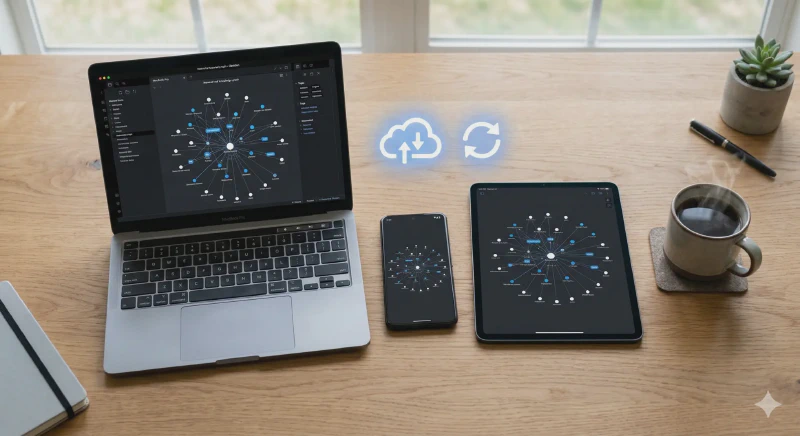
Free Note Sync – Obsidian Lifesync and Alternatives
Obsidian has become my central place for storing and organising notes. I use it across different devices — the desktop at home, the laptop I take to work and on trips, and also on my phone. Mainly for quickly checking something, adding a note, or dropping in a photo while waiting for a bus or for my morning coffee. I’ve written more about Obsidian itself here.
The problem arises when you want to work with your notes on several devices at once. You need to sync them somehow, and Obsidian’s built-in solution (Obsidian Sync) requires a paid subscription. Fortunately, there’s an alternative — Obsidian Lifesync.
Three Sync Options
Actually there are several alternatives, so before I get to Lifesync, it’s worth knowing what other solutions are available.
1. Obsidian Sync (Official)
This is the paid solution from the Obsidian creators. It works automatically — you don’t need to do anything, and notes sync in the background.
2. Cloud storage (OneDrive, Google Drive, Nextcloud)
A fairly popular option — you simply place your notes folder in the cloud and everything syncs automatically. Works nicely, but has some limitations and can sometimes cause conflicts.
3. Git in Obsidian
This might sound a bit technical, but it’s elegant. Beyond the standard Git commands — git pull, git merge, git push — the plugin allows you to set up automatic sync. You can configure notes to sync automatically in the background, without entering commands. Of course, if you prefer more control, you can also do it manually. It takes a bit of effort to set up, but in return gives you full flexibility — you choose whether you want automation or manual control.
Obsidian Lifesync — The Sweet Spot
Of these three options, I think Lifesync is the best — at least for my needs. I don’t rule out the OneDrive or Nextcloud option either — I’ve been testing that recently — but Lifesync impressed me the most.
Lifesync is a community plugin that allows free note synchronisation. How does it work?
How Lifesync Works
Lifesync is built on CouchDB — you can run it on any server. Here are a few options:
VPS server — the simplest solution if you already have your own hosting somewhere.
Home cloud — if you have a computer that’s always on, you can run it there.
CasaOS — an operating system built for containers, very user-friendly for those who want their own home cloud but don’t want to dive deep into Docker. CasaOS has a built-in store with plenty of apps where you can easily try out different solutions.
If you want access to your cloud from anywhere in the world, you can add a Cloudflare Tunnel or put it behind a VPN.
My Experience
For a while I tested Lifesync with my home cloud. When I was travelling by campervan, though, I didn’t need to send notes all the way home — syncing between the phone and laptop was enough.
The solution? Obsidian running on Docker on the laptop, with sync only available when the laptop was on. Sounds limiting, but in practice? When you’re travelling by campervan, you’re either working on the laptop or you leave the van with just your phone. It was hard to end up in a situation where I’d leave without having up-to-date notes.
And even if I occasionally lacked a particular entry, it didn’t stop me from creating new notes. They’d sync automatically when the laptop started up.
Alternative: Just Folders in the Cloud
Of course, you can always just put your Obsidian folder in OneDrive, Google Drive, or Nextcloud, and let the system sync automatically. This works reliably and is much simpler to set up.
Practical Use of GitHub Sync — Blog
A great example of how Obsidian can work with GitHub is running a blog.
My blog is built with Hugo — all posts are plain Markdown files. Obsidian is the ideal tool for editing them. I have the blog repository cloned on my phone, hooked up to Obsidian.
While out and about, I can edit articles, add new posts, drop in quick notes or photos — and publish them to the blog right away. The Obsidian Git plugin lets you enter Git commands directly in the Obsidian console, or sync automatically with the right settings.
This whole setup means that Obsidian has become for me not just a note-taking tool, but also a content publishing tool on the go.
Summary
Obsidian Lifesync is an interesting, though not the only, solution for people who want to sync notes without paying for a subscription, but who have the will and skills to set up their own server. If you prefer something simpler, the OneDrive or GitHub cloud option is also fine.
Regardless of the choice — the fact that Obsidian saves everything in Markdown gives you flexibility and independence. Nothing will happen to your notes, and you’ll always have access to your data. I wrote more about the Markdown format itself here
See other articles in the same category
Join the nomAId journey

Subscribe to stay up to date.