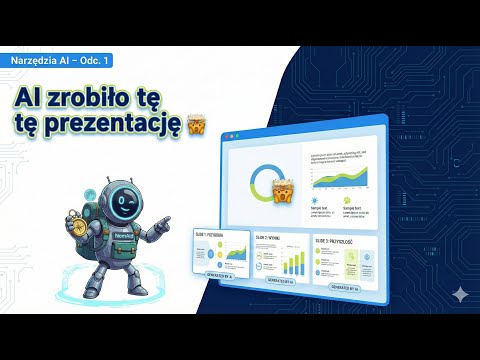
AI Tools - NotebookLM
Artificial intelligence tools.
I’d like this to be the title of a series of posts in which I’ll introduce various AI tools.
NotebookLM — today’s star.
Today I want to take a look at NotebookLM — a tool created by Google sometime in May 2025. There’s an Android app and a browser version.
How to launch NotebookLM?
The Android app is available in the Play Store, and the web version is available at https://notebooklm.google/
What is NotebookLM?
In short, I’d call it a document analysis tool. NotebookLM lets you add various sources and then perform many operations on them. Of course, ChatGPT, Claude, and Gemini also allow adding documents and working with them. However, NotebookLM stood out from the beginning for the quality of the information it provides about documents. It seemed to handle extracting data much better, and it had interesting built-in features from the very start — such as audio summaries and mind maps. The audio summary generated something like a podcast — two AI voices would converse with each other, discussing the data available in the sources.
Google didn’t stop there, and a month ago when I opened NotebookLM again after a longer absence, I was surprised by new features — video summaries, flashcards, reports. And a few weeks later, presentations, infographics, and deep research were added — a feature pioneered by Perplexity for searching the internet. Thanks to this feature, NotebookLM no longer needs to rely solely on our data sources but can also search the internet on a given topic for us.
It’s clear that Google is leveraging its leading image generation model — because the video, presentation, and infographic show truly impressive progress. Until now, generating presentations through Claude or GPT involved creating a PowerPoint file with plain, often poorly formatted text.
Presentations in NotebookLM are full of images, have attractive backgrounds, formatted text — you can immediately tell it’s not just a single AI model but a system of agents building a ready product for us. The same goes for infographics — Google has nothing to be ashamed of here, and you can impress your boss by creating an office Christmas party poster in just a few minutes.
Who is it for?
Students and pupils
First and foremost, I think this is the perfect tool for students for studying and revision. Adding notes or lectures allows you to build video and audio summaries, generate flashcards and mind maps — ideal material for review. Once you’ve reviewed everything, you can generate a knowledge test with hints for the questions and the ability to explain wrong answers. This group of users will be even more satisfied because Google has given free access to its Pro AI tools for all students.
Teachers
Lecture summaries, flashcards, and tests will certainly improve learning for all students using NotebookLM, but teachers can step up and enrich their lessons with products generated by the Google tool.
Workers dealing with public and online data.
The tool requires uploading documents to the cloud, so it’s probably not suitable for confidential data, but anyone who needs to create a presentation from publicly available data and decides to use NotebookLM should be satisfied.
Everyone
Got a contract to sign, a long and boring store terms and conditions to read. A lengthy text instruction on how your new fridge works. I think with NotebookLM you could create a nice visual summary or ask about a specific thing without having to wade through hundreds of pages.
Closing thoughts
I’m not receiving money from Google for promoting this product — I simply really like it. Do you plan to try NotebookLM, or are you already using it? Write in the comments — what does this tool help you with? Or maybe you have a different opinion and want to share your thoughts or experience? I’d be grateful for you sharing your reflections.
See other articles in the same category
Join the nomAId journey
Subscribe to stay up to date.